To buy your own stock as a capital acquisition:
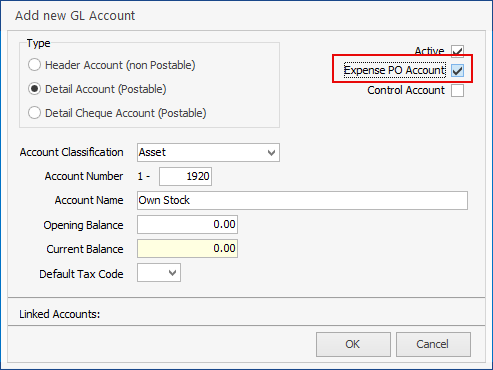
1.Ensure the Asset account for the expense is ticked Expense PO in the general ledger.
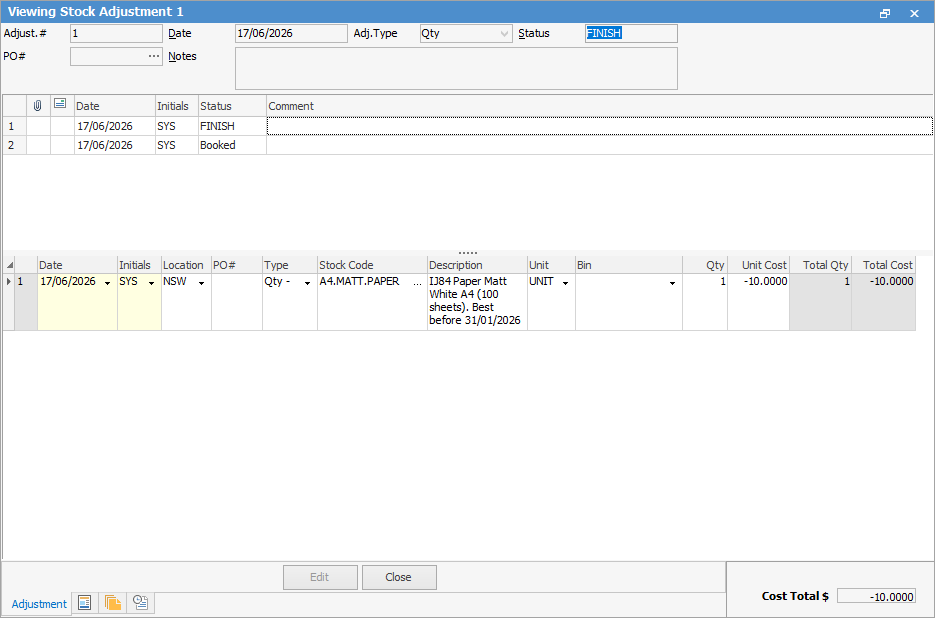
2.Raise a stock adjustment Qty – to remove the stock from inventory.
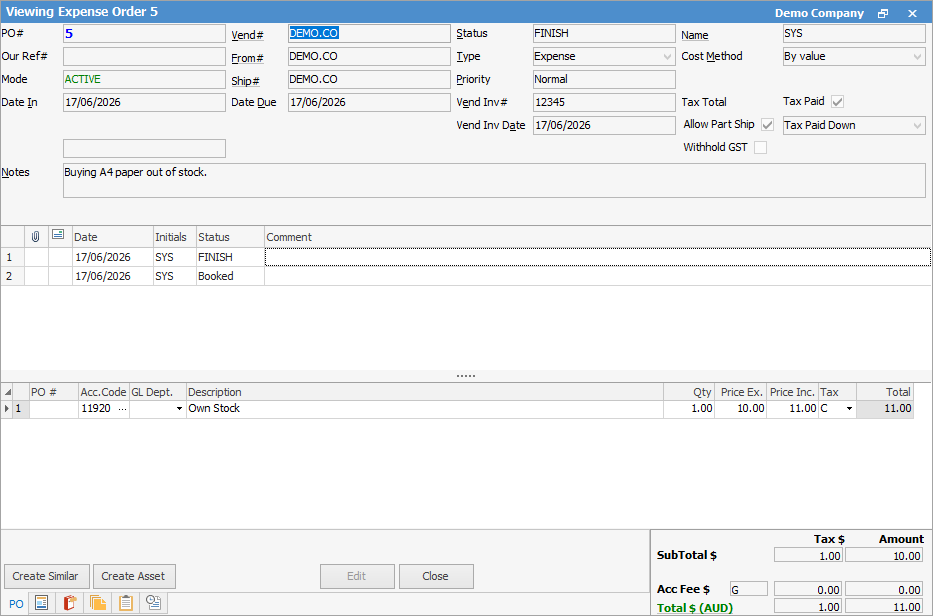
3.Raise an expense order against your company cardfile (Vendor needs to be ticked on the cardfile) for the stock, using the Asset account in Point 1, and Tax Code C (for capital acquisition).
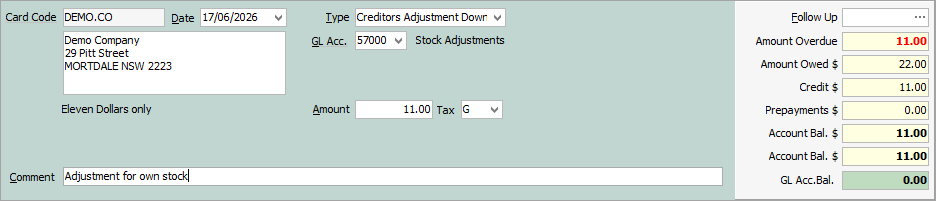
4.Add a creditors adjustment down against company cardfile vendor for the gross value of the stock (including tax), using Tax Code G and post to the Stock Adjustment account.
5.Apply the credit from the creditor adjustment against the expense order.
Further information
Backfill Stock Sold in Advance
Buy and Sell in Different Measures
Change a Serial Number on a Stock Record
Export a Stock Report to Spreadsheet
Generate Backdated Stock on Hand Report
Move Stock from Depleting to Asset
Report Showing all Vendors on Stock
Stop Users From Giving Discounts
Update Existing Vendor Pricing
Update Lead Time on Vendor Tab
Further information
Backfill Stock Sold in Advance
Buy and Sell in Different Measures
Change a Serial Number on a Stock Record
Export a Stock Report to Spreadsheet
Generate Backdated Stock on Hand Report
Move Stock from Depleting to Asset
Report Showing all Vendors on Stock
Stop Users From Giving Discounts
Update Existing Vendor Pricing