
|
Note: If the Create Stock List icon is greyed out there are two reasons for this: 1.Jim2 only allows 25 lists per object. If there are already 25 lists in the Nav Tree, a list will need to be closed to allow creation of a new list. 2.The user's security does not allow them to create the list. |

A Stock List can be created in either one of these ways:
▪On the ribbon, go to Stock > Create Stock List.
▪In the Nav Tree on the left, right click on Stock and select Create Stock List.
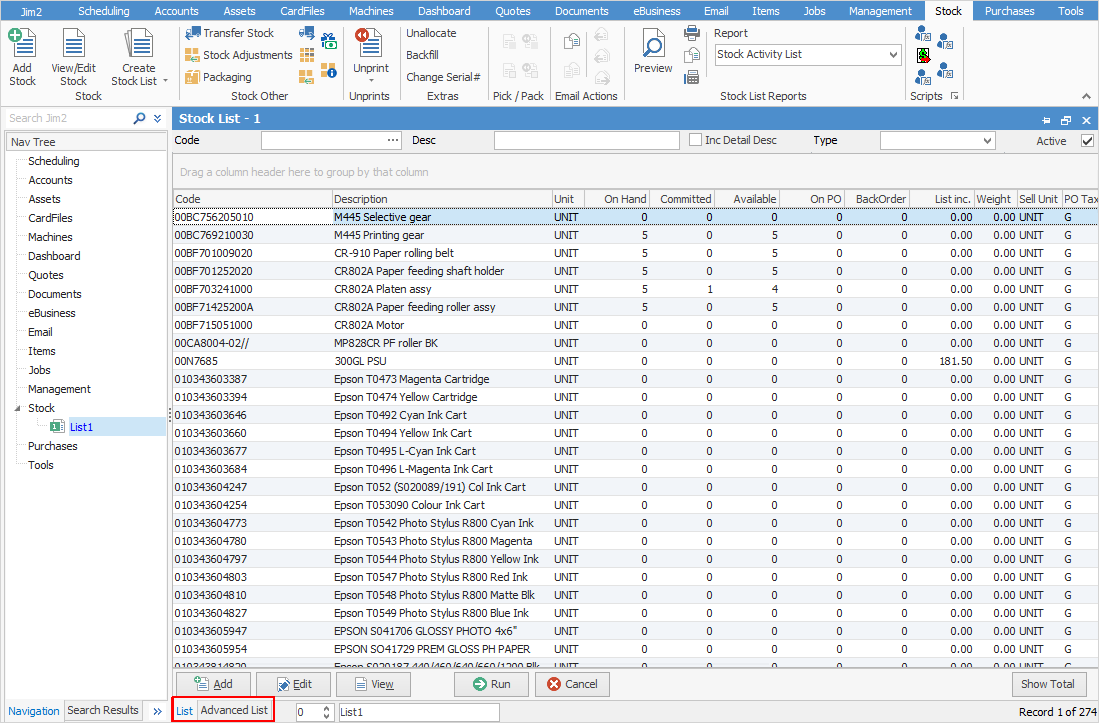
See here for detailed information about the fields in the list header.
To view or edit any of the stock within the list, double click or use the F2 function key on any of the fields relating to the stock to be displayed.

1.On the ribbon, go to Stock > Create Stock List on the ribbon. 2.Go to the Advanced List tab at the bottom of the Stock List. 3.Press Enter. A list of stock codes will appear. 4.To filter the list, enter applicable criteria in fields. 5.Press Enter. 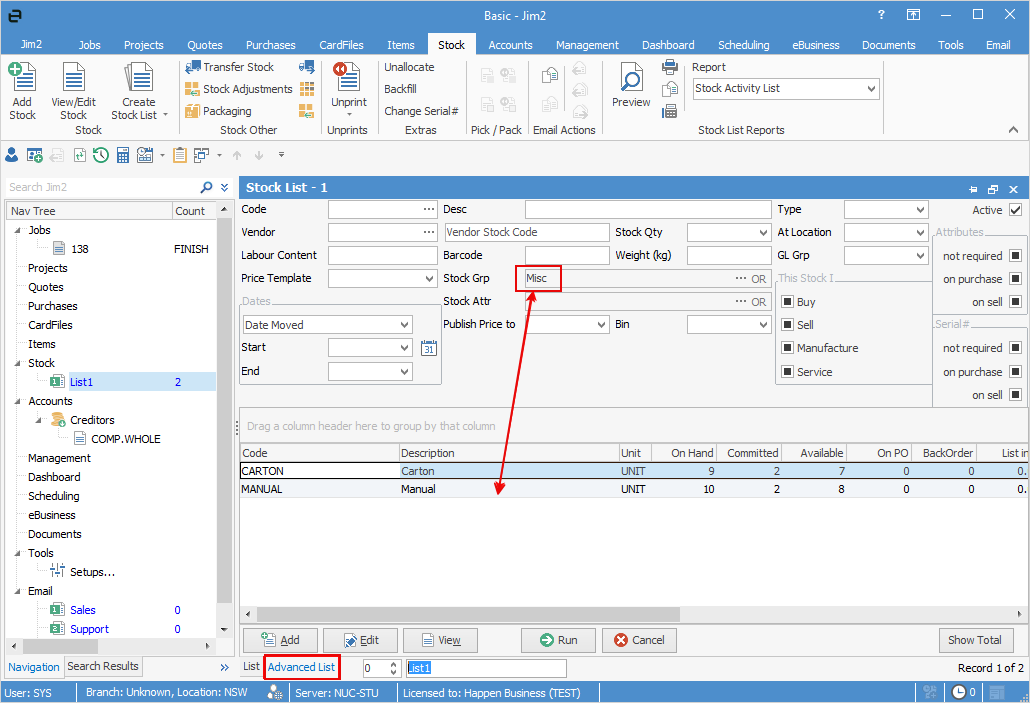 6.Sort stock codes into ascending order by selecting the required column header. Sort in descending order by selecting the same column header a second time. 7.Group stock codes by using the mouse and dragging the column header into the Drag a column header here space immediately above the column headers. 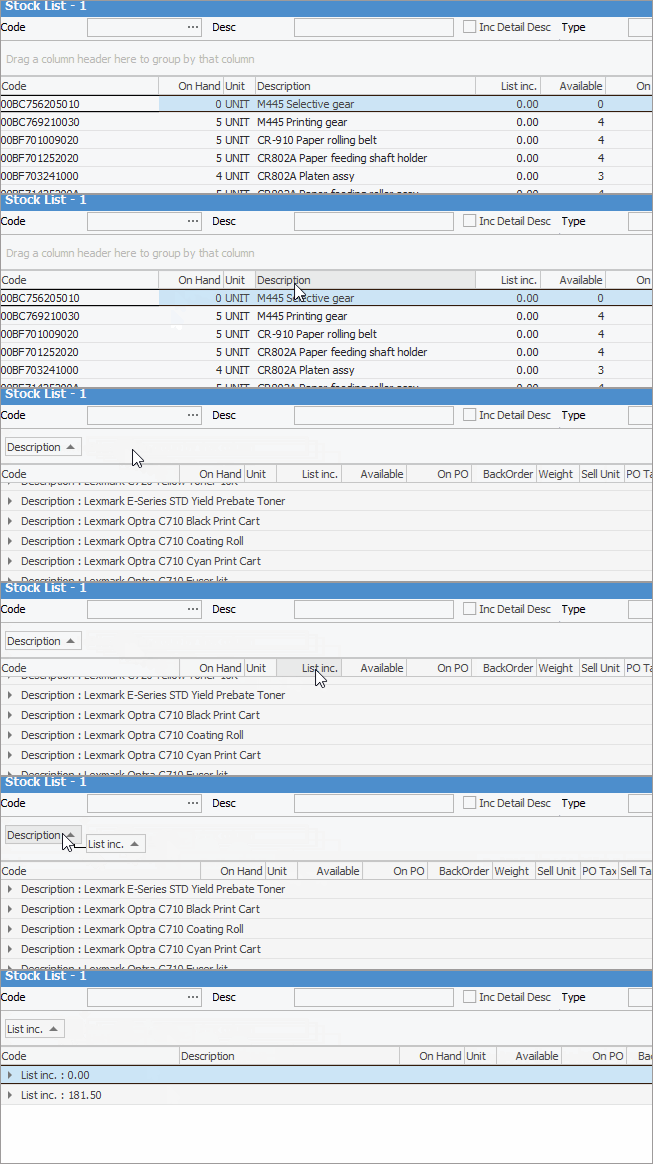 8.Name the list by entering a short description in the field which displays ListXX (in this case it says Stock List 1) at the bottom of the screen. This Stock List name will now also appear in the Nav Tree.  9.Pin the list by clicking the Pin icon at the top right of the list. 
|
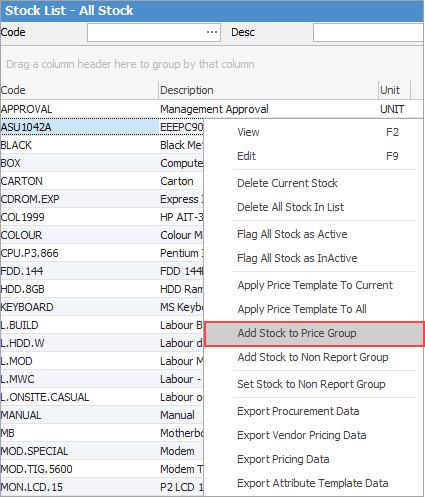
Stock can be updated to a specific price group from a Stock List. Generate a Stock List based on the required criteria, then right click and select Apply Stock to Price Group. Select the desired price group and click OK.
|
This will apply the Price Group to all stock within the list. |

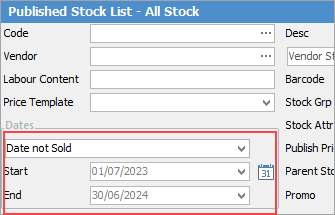
You can run an advanced stock list where the Qty on Hand > 0 and selecting Date not Sold, along with dates.
The resulting list will show you what stock is on hand and has not been sold for that period.
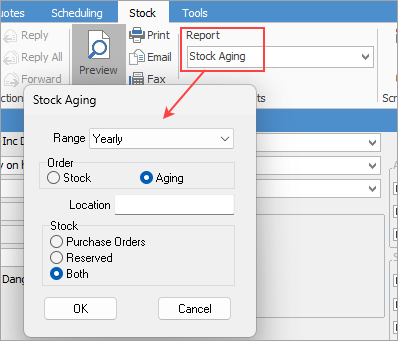
You can also run the Stock Aging Report from a stock list, where you can select Monthly, Quarterly or Yearly, along with other filters to produce a report that will also show slow moving stock.
|
Further information
Backfill Stock Sold in Advance
Buy and Sell in Different Measures
Change a Serial Number on a Stock Record
Export a Stock Report to Spreadsheet
Generate Backdated Stock on Hand Report
Move Stock from Depleting to Asset
Report Showing all Vendors on Stock
Stop Users From Giving Discounts
Update Existing Vendor Pricing