There are a two ways this can be handled.
|
Note: If adding a discount to a job will result in a negative amount, you will not be able to invoice. |

 Add a discount via the Disc % column in a job
Within the stock grid of a job, you can enter a percentage in the Disc % column against individual stock lines, which will reduce the total by that percentage amount:
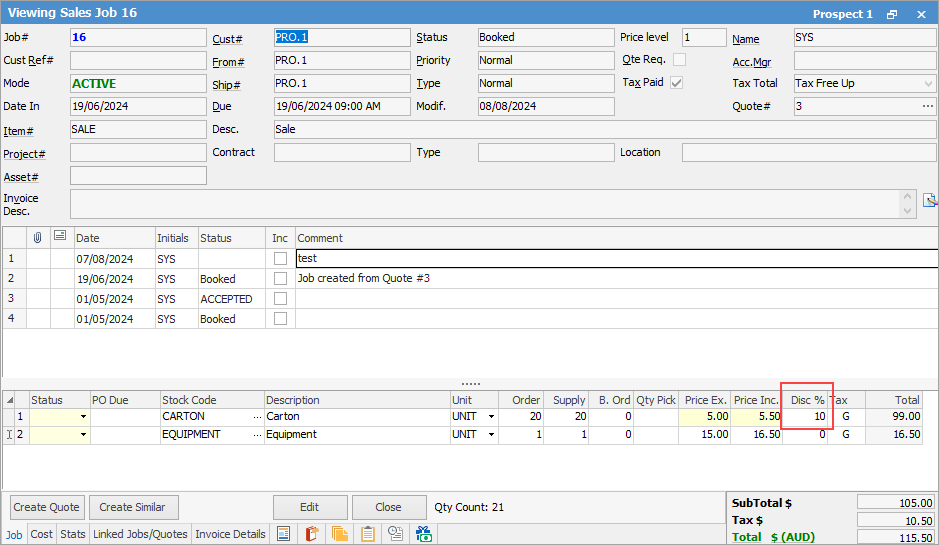
You can enter a discount for individual lines only, or every line. |
To add a discount $ amount to the entire job, you must first create a Stock GL Group for the discount. You may have to add a general ledger account for discounts under 5 - Cost of Sales.
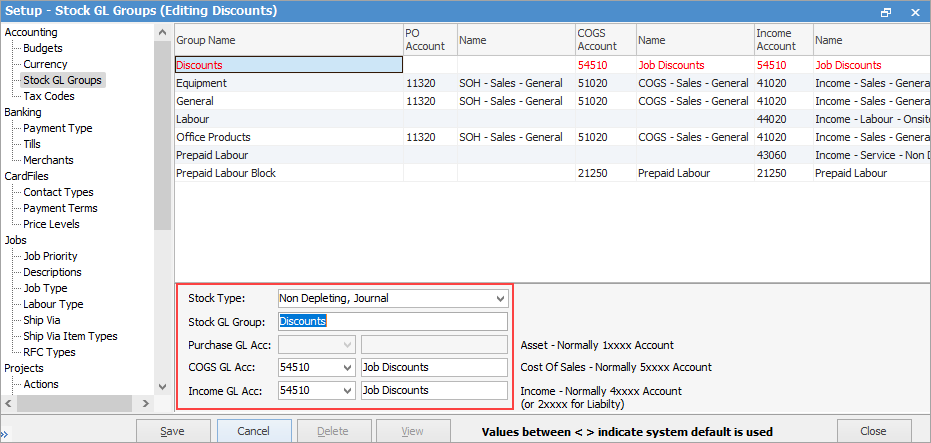
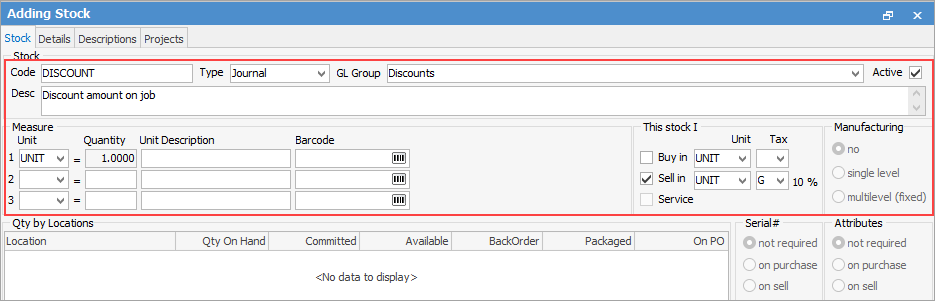
Create a journal stock code for Discounts:
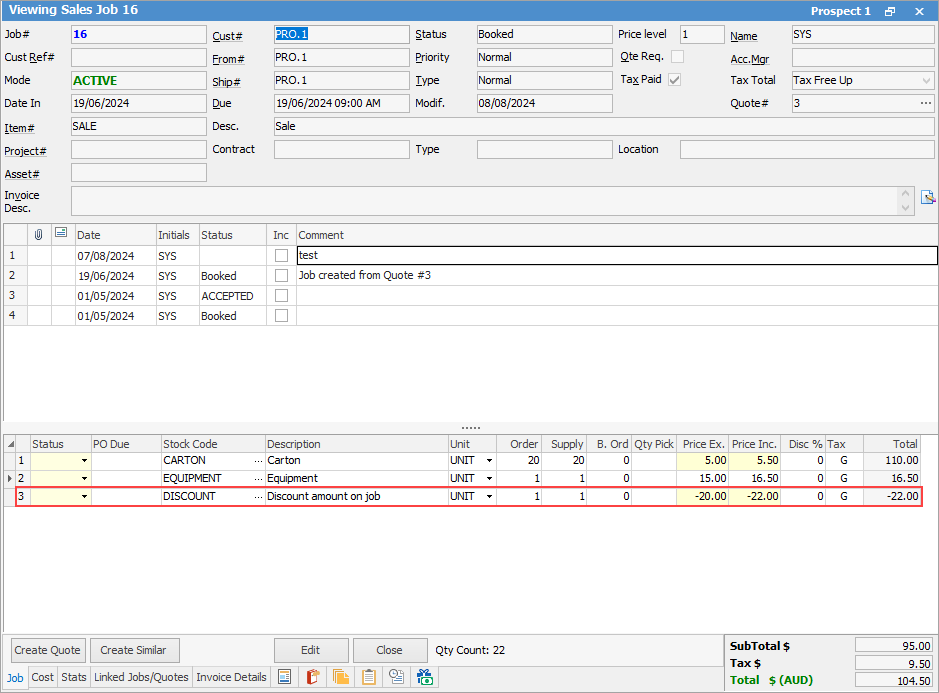
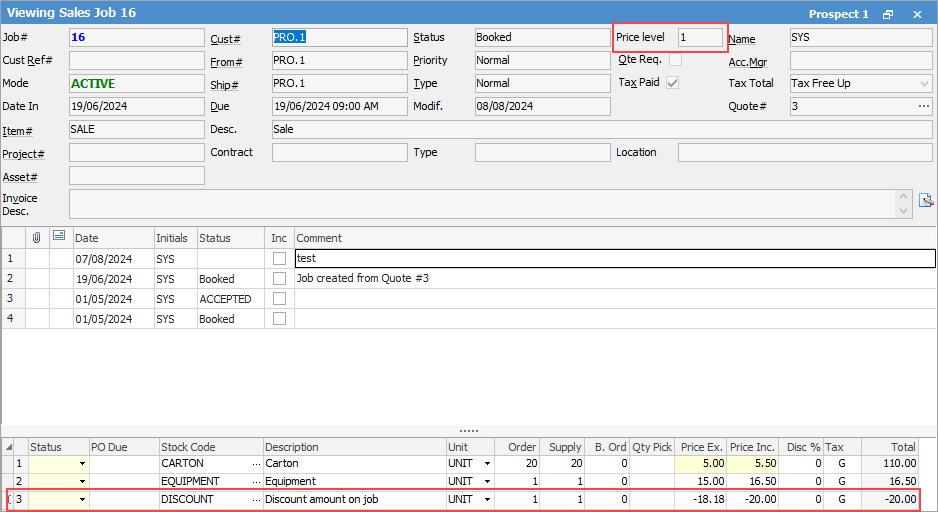
Add the Discount stock code to a job and enter the dollar value of the discount as a negative:
 |
Create a journal stock code for the Discount similar to above, however with the following entered. Add a Fixed Price method for a specific price level. In the Price Ex field, enter the discount amount excluding GST. In the example here, the discount amount is $20, so the amount to enter into the Price Ex field is $18.18.
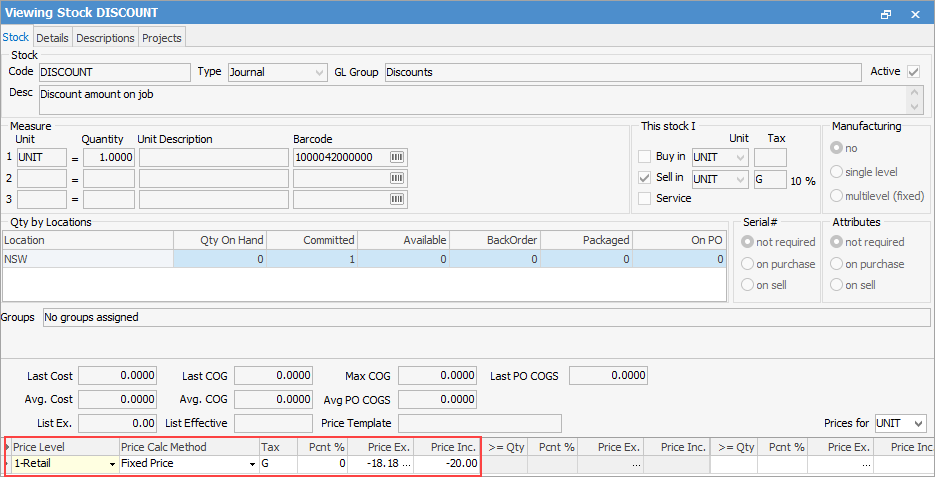
In a job, ensure the Price Level matches the same as the stock code, then add the Deposit stock code to the job:
 |
Further information
Add Stock to Job When Insufficient Stock
Auto Create Purchase Orders from Jobs
Charge Customer a Re-stocking Fee
Create a Job from a Similar or Previous Job
Create a Template for Recurring Jobs
Credit an Overcharged Customer
Export a Job Report to Spreadsheet
Export Labour Hours from a Job
Make Progress Payments and Claims
Select Serial Numbers on a Job
Stock Availability Allocation Process by List
Stock Availability by Location on the Fly