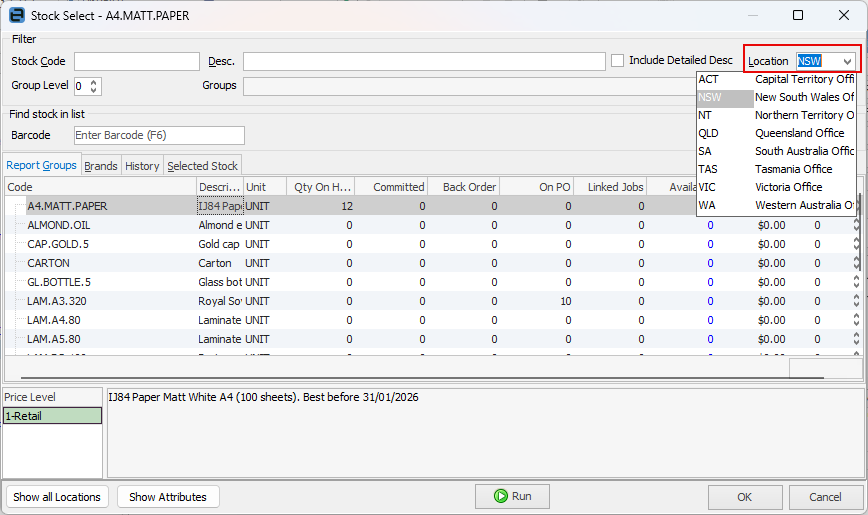
On any entry in the stock grid use the Stock Select screen (ellipsis beside the stock code [...] or using F5 whilst in the field) to show availability of that stock in the default location. An alternate stock location can be selected using the Location drop down list.
 |
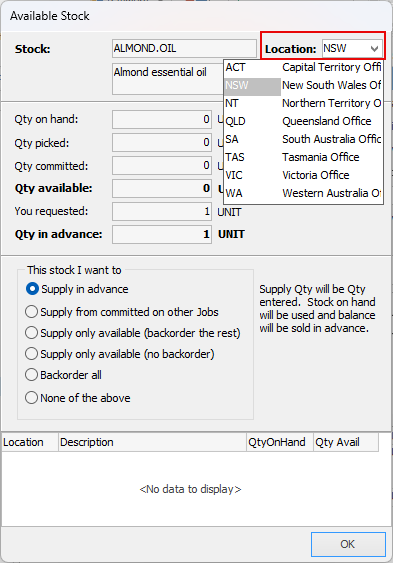
If stock is not available, the stock availability window will open. |
If there are multiple stock locations, when adding stock to a job, view available stock from a different location on the fly. By default, users are linked to one specific location when selling. As quantity is added to the stock grid, Jim2 will calculate the available stock from that location. However, if there is insufficient stock in the default location, view stock levels in alternate locations.
Further information
Add Stock to Job When Insufficient Stock
Auto Create Purchase Orders from Jobs
Charge Customer a Re-stocking Fee
Create a Job from a Similar or Previous Job
Create a Template for Recurring Jobs
Credit an Overcharged Customer
Export a Job Report to Spreadsheet
Export Labour Hours from a Job
Make Progress Payments and Claims
Select Serial Numbers on a Job
Stock Availability Allocation Process by List