If the stock being sold is set up with the stock record as Serial Number on Purchase, select which serial numbers from what is in stock are being sold to a particular customer. Stock cannot be sold in advance on a job which requires a serial number on purchase.
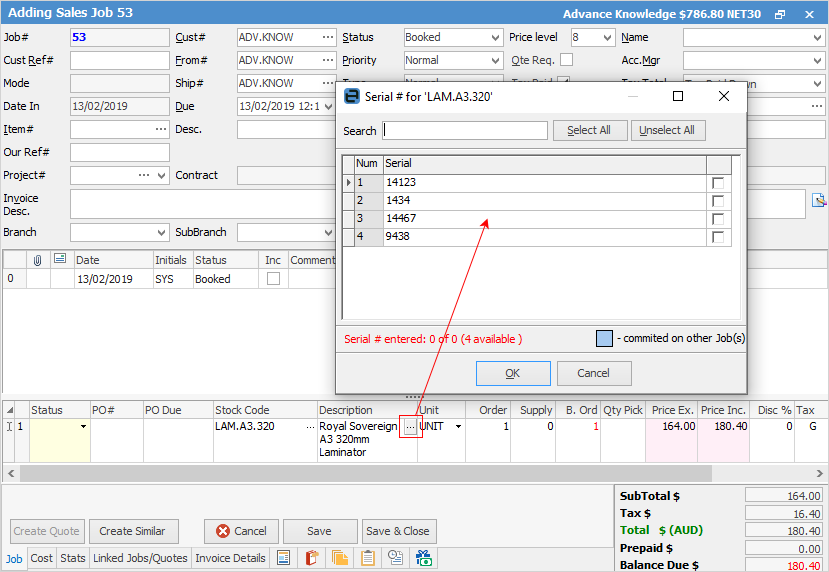
When entering this stock into the parts grid in a job there is a grey ellipsis [...] on the far right of the Description field. Select this to show the available serial numbers. Serial numbers are limited to 50 characters.
|
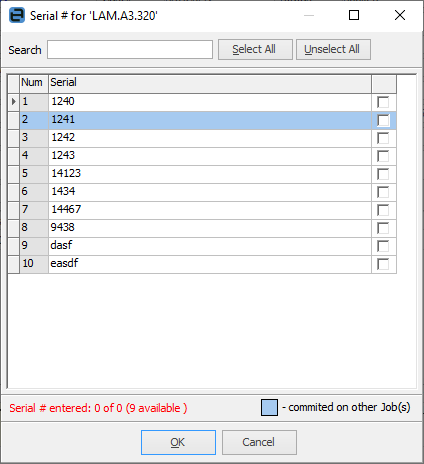
Serial numbers committed on other jobs are flagged with a light blue background.
 |

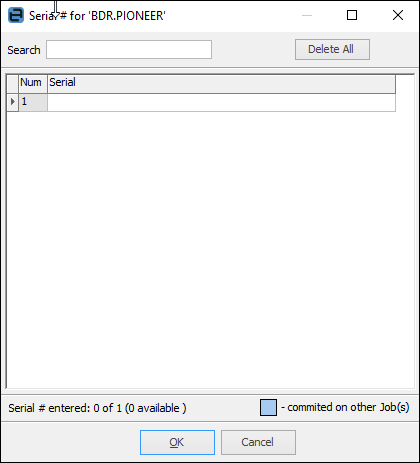
If the stock added to a job is set up as Serial Number on Sell, enter a serial number (maximum of 50 characters) when trying to sell this stock. Serial on sell stock can be sold in advance.
To enter the serial number for the quantity of stock being sold, select the ellipsis [...] on the far right of the Description field of the stock line and the following screen will appear for entry of the serial numbers.
Further information
Add Stock to Job When Insufficient Stock
Auto Create Purchase Orders from Jobs
Charge Customer a Re-stocking Fee
Create a Job from a Similar or Previous Job
Create a Template for Recurring Jobs
Credit an Overcharged Customer
Export a Job Report to Spreadsheet
Export Labour Hours from a Job
Make Progress Payments and Claims
Stock Availability Allocation Process by List
Stock Availability by Location on the Fly