The best way to update the Order/Supply/Back order Columns of a job (rather than using the right click Stock Availability option from within the stock grid) is to edit the Job List and tick Auto Pick stock at the bottom of the screen.
When a list is set to Auto Pick and the list is run, it will show stock availability.
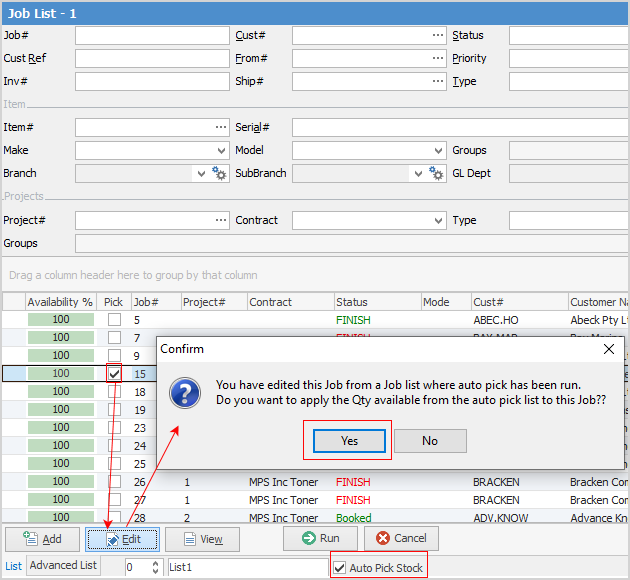
Double click on one of the jobs in the list. Its availability is highlighted green, however Jim2 has not yet made the supply or back order adjustment within the job.

For Jim2 to update the availability within the job it must be in Edit mode. Now the Supply or Back order number has been adjusted.

 |
If stock is not available, the stock availability window will open. |
Further information
Add Stock to Job When Insufficient Stock
Auto Create Purchase Orders from Jobs
Charge Customer a Re-stocking Fee
Create a Job from a Similar or Previous Job
Create a Template for Recurring Jobs
Credit an Overcharged Customer
Export a Job Report to Spreadsheet
Export Labour Hours from a Job
Make Progress Payments and Claims
Select Serial Numbers on a Job
Stock Availability by Location on the Fly