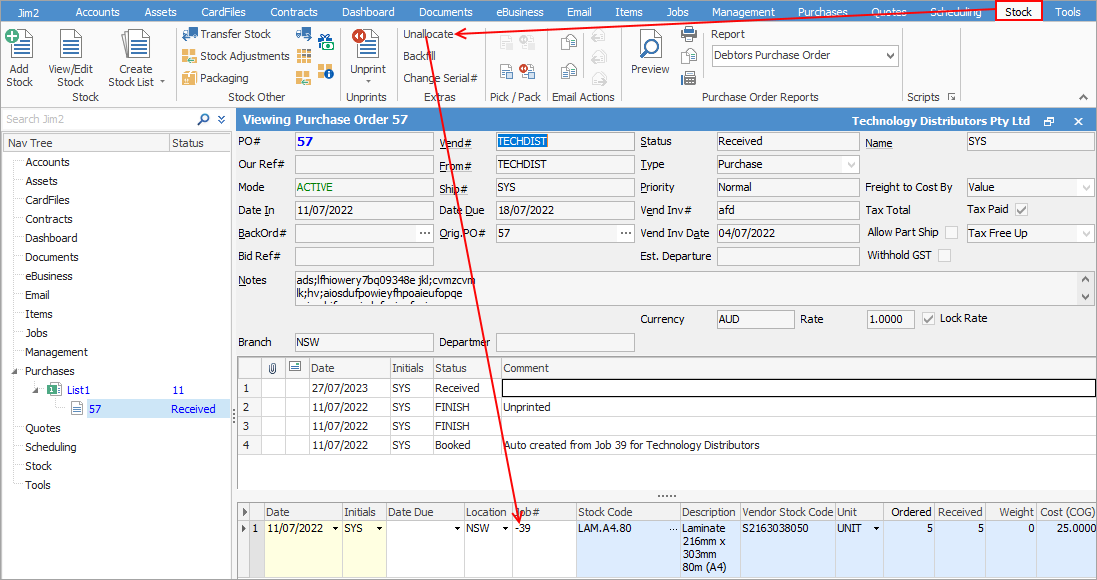
If the job is linked to a purchase order, open the purchase order and, in View mode, right click in the job number field and select Unallocate Stock.
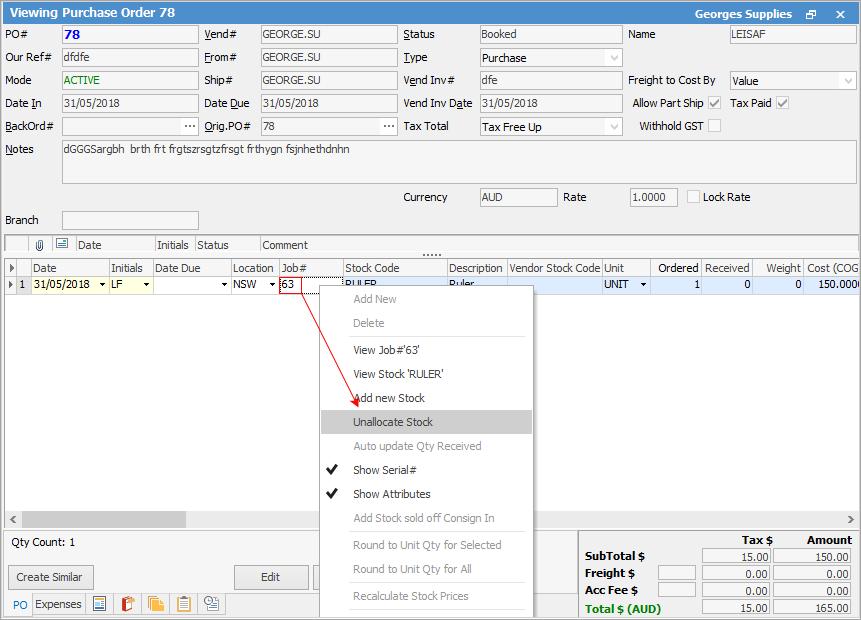
If you unlink a job from a purchase order via right clicking on the stock line of the PO, the job number will be removed from the purchase order.
If you unlink the job from the purchase order using the Unallocate feature, instead of removing the job number on the purchase order, Jim2 will enter a - prior to the job number.
If the job is linked to another job:
•On the ribbon, go to Tools > Options > Jobs, and untick Show Quote # instead of Ex.job.
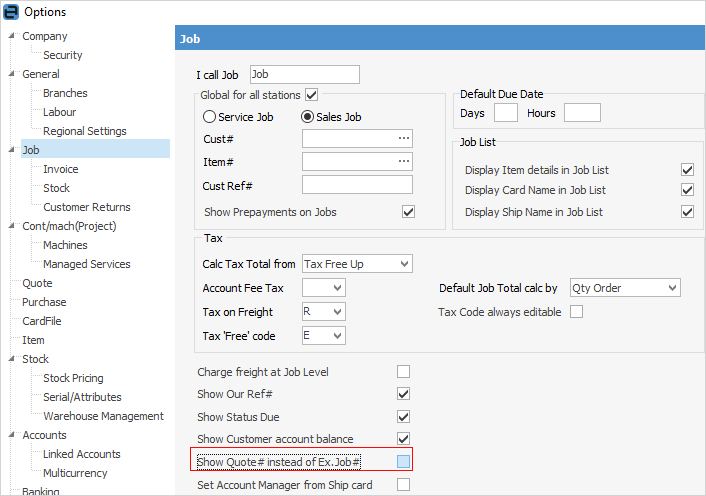
•Log off and back on. The Quote# field in the job will now show the Ex.Job#.
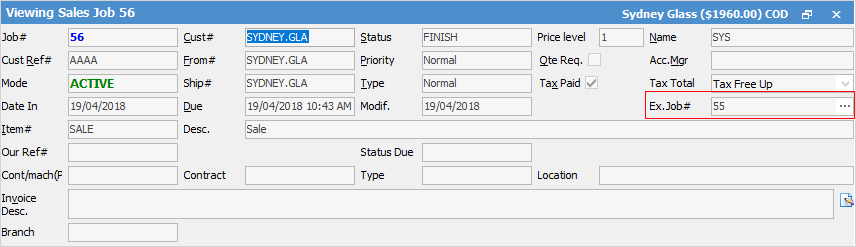
•Edit the job and remove the Ex.Job#.
•Change the Job options (1. above) back, if necessary.
If the job is linked to a quote, ensure Show Quote # is ticked instead of Ex.job in Tools > Options > Job (see image above), then open the job and remove the quote number from the Quote # field.

To remove the job number from a quote, open the quote and remove the number from the Job # field.

Further information
Add Stock to Job When Insufficient Stock
Auto Create Purchase Orders from Jobs
Charge Customer a Re-stocking Fee
Create a Job from a Similar or Previous Job
Create a Template for Recurring Jobs
Credit an Overcharged Customer
Export a Job Report to Spreadsheet
Export Labour Hours from a Job
Make Progress Payments and Claims
Select Serial Numbers on a Job
Stock Availability Allocation Process by List
Stock Availability by Location on the Fly