There are two ways to export labour hours: from a Job List or from Management > Job Reports.
From a job list
1.On the ribbon, go to Jobs > Create Job List.
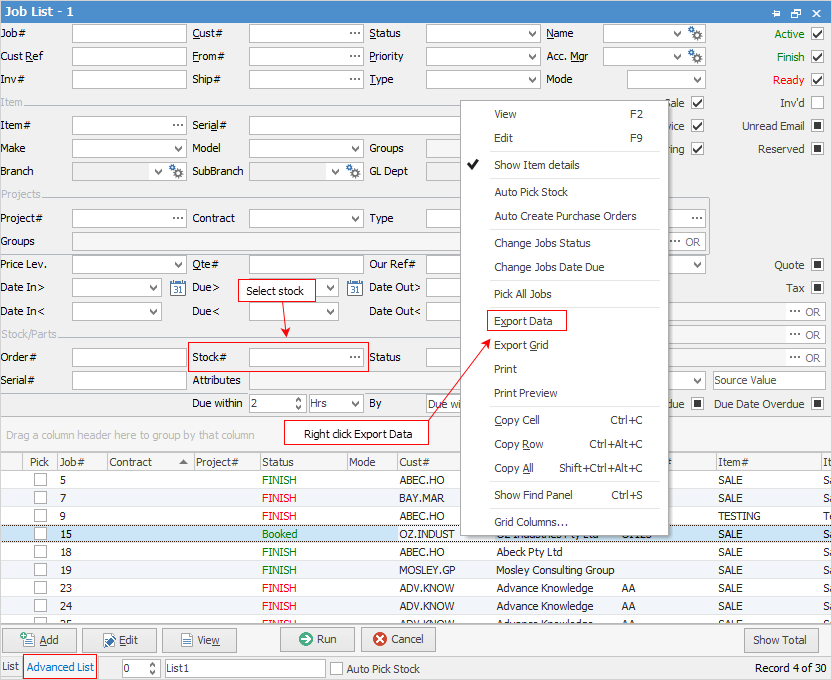
2.Go to Advanced List in the footer and choose which type of jobs to include, along with any other relevant criteria.
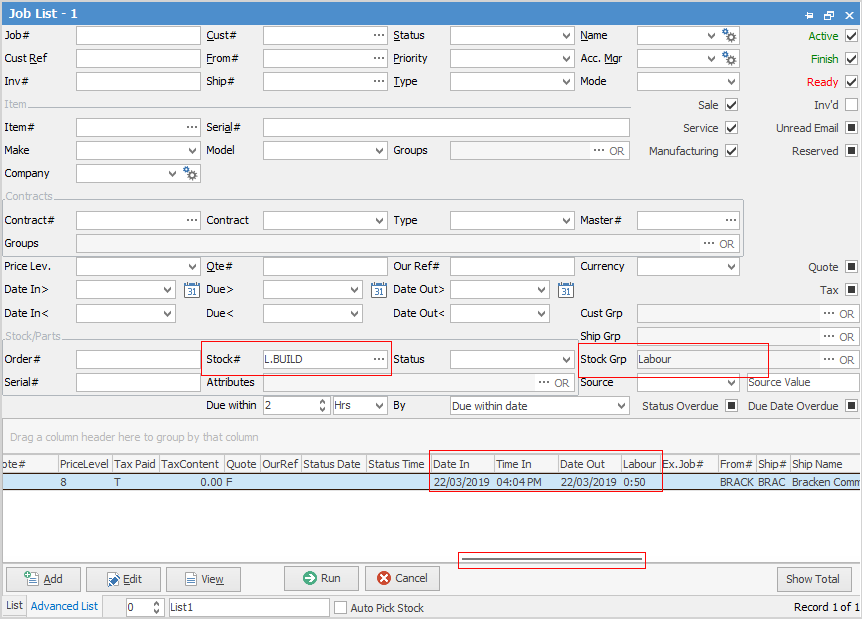
3.Select Stock#, ie. labour stock code and/or the stock group, then select Run.
4.In the stock grid, scroll across to the Actual Labour Hours and Dates, to see the Date In, Date Out and Labour columns.
5.Right click and select Export Data. Save to an external location.
 |
Make sure the file format is .xlxs or .xls. |

1.On the ribbon, go to Management > Reports. 2.Select Job Reports > Labour Daily and select Preview or Print. Enter the relevant information in the date fields and select Group by Customer, then select OK. 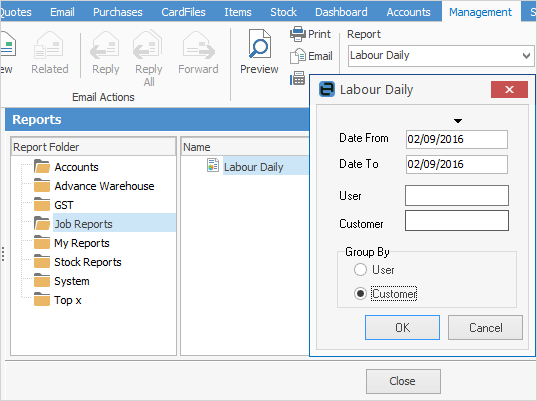 3.Click Print, then tick Export. 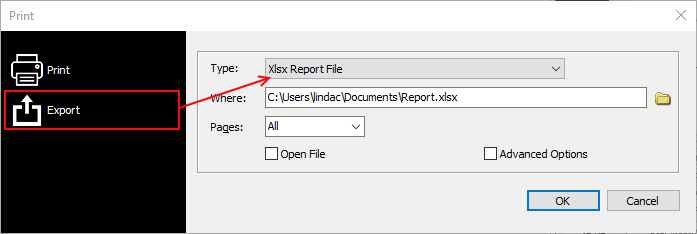 Select Xlsx Report File, and save to an external location. |
Further information
Add Stock to Job When Insufficient Stock
Auto Create Purchase Orders from Jobs
Charge Customer a Re-stocking Fee
Create a Job from a Similar or Previous Job
Create a Template for Recurring Jobs
Credit an Overcharged Customer
Export a Job Report to Spreadsheet
Make Progress Payments and Claims
Select Serial Numbers on a Job
Stock Availability Allocation Process by List
Stock Availability by Location on the Fly