When a job is active (not invoiced) it will use the estimated cost, which is the later date on the Buying tab or Vendor tab. When the job is invoiced, it will show the actual cost from the FIFO purchase order used.
Following is an outline of how the general ledger accounts are affected at each stage of the job process.
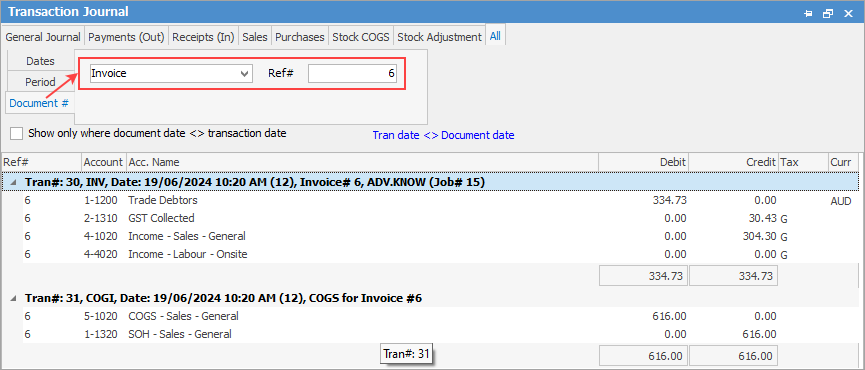
To view the accounting entries, go to Accounts > Transaction Journal and select Document #. Choose Invoice and enter the invoice number.
The Transaction journal will then show where income and cost of goods sold impacts the general ledger.
Further information
Add Stock to Job When Insufficient Stock
Auto Create Purchase Orders from Jobs
Charge Customer a Re-stocking Fee
Create a Job from a Similar or Previous Job
Create a Template for Recurring Jobs
Credit an Overcharged Customer
Export a Job Report to Spreadsheet
Export Labour Hours from a Job
Make Progress Payments and Claims
Select Serial Numbers on a Job
Stock Availability Allocation Process by List
Stock Availability by Location on the Fly